
The HiringJet Mobile App: How UAE Employers Hire, Screen, and Respond to Candidates On the Go (2026)
The best candidate in your pipeline right now might apply while you’re in a meeting, stuck in Sheikh Zayed Road traffic, or between site visits — and in a market as competitive as UAE hiring, the employer who responds first often wins the hire.
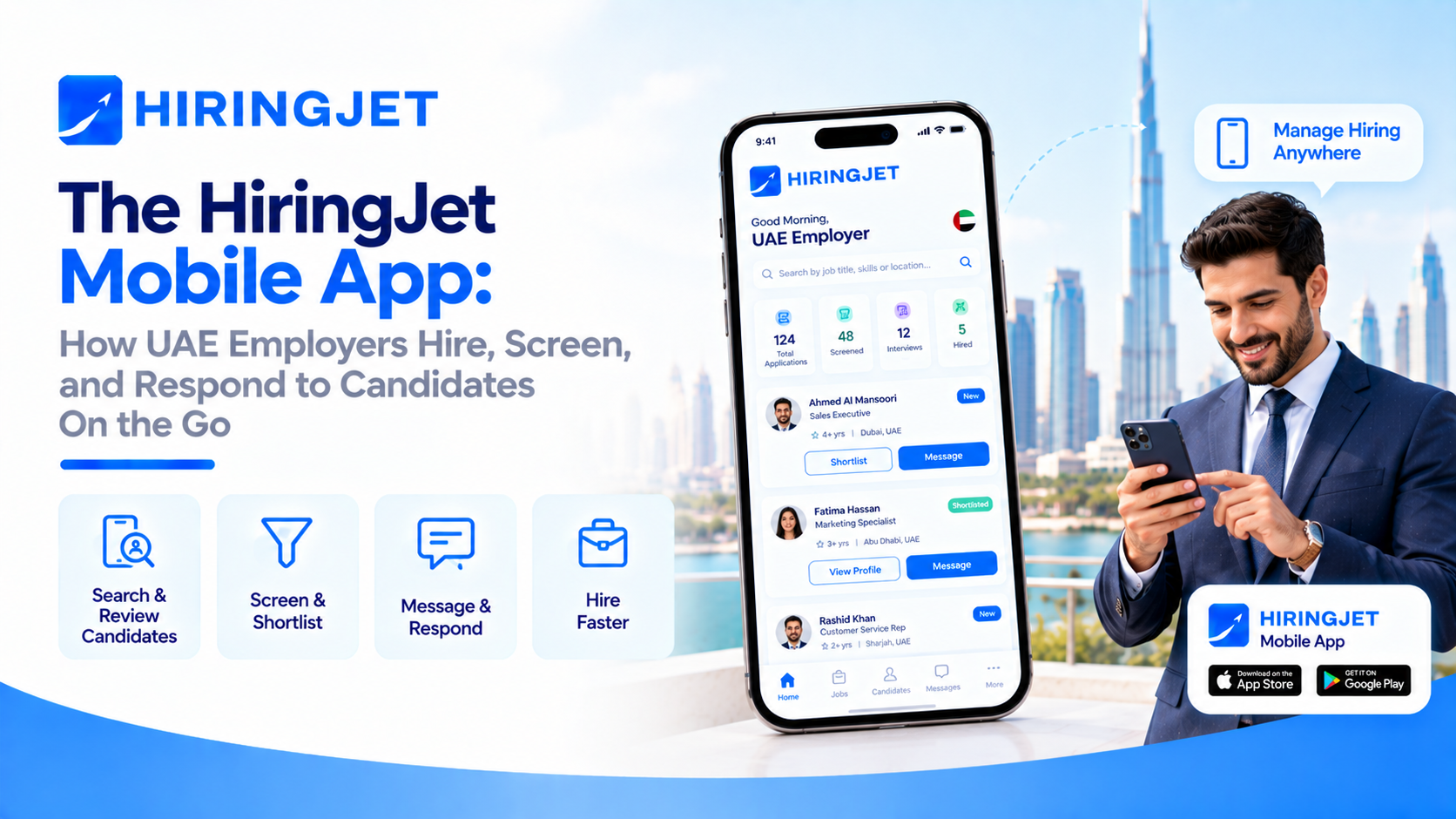
That’s the problem the HiringJet mobile app is built to solve: a full employer dashboard, candidate search, and applicant tracking system in your pocket, so hiring decisions don’t have to wait until you’re back at a desk. This guide walks through exactly what you can do from the app, why mobile responsiveness has become a genuine competitive advantage in UAE recruitment, and how to get your team set up. Explore the full toolkit on HiringJet for Employers or read on for the mobile-specific breakdown.
Why Mobile Matters for UAE Hiring in 2026
The UAE is a genuinely mobile-first market. DataReportal’s Digital 2026: United Arab Emirates report (published November 2025, data as of October 2025) counts 23.0 million active cellular mobile connections in the country — equivalent to 202% of the population — alongside 99.0% overall internet penetration across the UAE’s 11.3 million residents. In practice, that means the HR manager, hiring lead, or founder reviewing your applicant list is almost certainly doing so from a phone at some point in the hiring process, whether or not your recruitment software is actually built for it. A desktop-only ATS doesn’t stop working in that environment — it just gets checked less often, and every hour a strong application sits unreviewed is an hour a competing employer has to reach that candidate first.
What You Can Do From the HiringJet Employer App
The mobile app mirrors the core of the desktop Employer Dashboard, not a stripped-down version of it. From your phone you can review new applications as they arrive and move them through the same pipeline stages your team already uses — New, Reviewed, Shortlisted, Rejected, or Hired — so nothing gets duplicated or lost between devices. You can open Jet Screen’s AI-ranked candidate matching and see each candidate’s weighted Match Percentile (skills, experience, location, education, salary, visa/work authorization, profile freshness, and notice period all factored in) before you even open the full profile, which makes triaging a busy applicant list from a phone screen realistic rather than frustrating. You can message shortlisted candidates directly, check where each job posting stands in the AI approval workflow, and keep an eye on usage against your plan’s limits — job posting quota, CV downloads, and email credits — without needing to log into a browser at all.
Real-Time Push and Email Notifications: Never Miss a Strong Candidate
The app’s notification layer is what turns a mobile dashboard into something you actually act on in the moment, rather than something you check once a day. HiringJet sends Firebase-based push notifications alongside email alerts for new applications, shortlisting activity, interview scheduling, and subscription or quota alerts (including renewal reminders at T-7 days and expiry warnings), so a hiring manager gets pulled back into the pipeline the instant something needs attention. Independent push-notification research compiled by Airship’s benchmark studies found opt-in rates ranging from 49–95% on Android (median 81%) and 29–73% on iOS (median 51%), with average reaction/click-through rates of 4.6% on Android and 3.4% on iOS — evidence that, done well, push notifications reliably pull users back into an app rather than being ignored outright. For time-sensitive hiring — a walk-in event filling up, a strong candidate who just applied to a role closing this week — that’s the difference between a same-day response and a candidate who’s already accepted an offer elsewhere by the time you next open a laptop.
Quick, Secure Access With Social Login
Because mobile hiring often happens in short bursts — a few minutes between meetings, not a dedicated desk session — friction at login matters more than it does on desktop. HiringJet supports social login alongside standard corporate-email authentication, so your team can get back into the employer dashboard quickly without re-typing a long password on a phone keyboard every time. This sits alongside the platform’s standard verification layer (corporate-email-only registration, document verification for trade licenses and tax registration, and audit logging on account changes), so faster access doesn’t come at the cost of account security.
A Day in the Life: Running a Bulk Hiring Event From Your Phone
Picture a retail or hospitality employer running a Jet Walk-In hiring event ahead of a seasonal peak. The walk-in is live, candidates are arriving, and the hiring manager is on the floor rather than at a desk — but the AI-recommended candidate list, each applicant’s profile, and the ability to mark someone as shortlisted or hired on the spot are all available from a phone. The same holds for employers building out a distributed team through Jet Remote candidate pools: reviewing time-zone overlap, remote-work-readiness details, and bulk-emailing a shortlist can all happen from mobile between other work, rather than requiring a dedicated block of desk time. In both cases, the mobile app isn’t a convenience feature bolted on afterward — it’s what makes high-volume, time-boxed hiring events actually operable for a lean HR team.
Mobile Hiring vs. Desktop-Only ATS: Why Speed-to-Response Wins Candidates
Candidate experience research consistently shows that response speed shapes whether a strong applicant stays engaged through a hiring process or drops out to a faster-moving employer — which is exactly why HiringJet frames mobile access as core infrastructure rather than a nice-to-have. An employer checking applications only once a day from a desktop is, by definition, slower to respond than one who can review, shortlist, or message a candidate the moment a push notification arrives. Over a full hiring cycle, that gap compounds: faster first response, faster shortlisting, faster interview scheduling, and ultimately a shorter time-to-hire, all of which feed directly into the kind of cost-per-hire and bad-hire-cost metrics UAE employers are increasingly tracking. If you’re still deciding how much of your hiring workflow to run through a modern platform versus a legacy process, our guide on how to choose the right applicant tracking system and our piece on building a hiring process candidates trust both cover the broader decision — mobile responsiveness is one concrete, measurable part of it.
What This Means for Different Hiring Teams
The value of mobile access looks slightly different depending on who’s using it. For a solo HR manager at a growing SME, the app is often the only realistic way to keep up with applications alongside everything else on their plate — there’s no dedicated recruiter checking the dashboard every hour, so push notifications effectively do that job. For a larger talent acquisition team, mobile access changes how work gets distributed: a recruiter travelling between office locations, a hiring manager sitting in back-to-back interviews, or a regional HR lead covering both Dubai and Abu Dhabi can all stay current on their part of the pipeline without waiting to be back at a shared workstation. And for recruitment agencies managing multiple employer clients at once, the same mobile responsiveness means a candidate shortlist can be reviewed and sent on to a client the same day it’s built, rather than sitting until the next desk session. In every case, the underlying point is the same: mobile access doesn’t just make the existing hiring process more convenient, it changes how quickly that process can actually move.
Getting Started With the HiringJet Employer App
If your team already has a HiringJet employer account, the mobile app uses the same login and reflects the same subscription plan and permissions instantly — there’s no separate setup or re-registration required. If you’re new to the platform, registration takes you through account type, contact info, company details, and document upload (trade license and tax registration), after which you get immediate dashboard access while HiringJet’s Backoffice team reviews your account in parallel. From there, every feature covered above — the dashboard, Jet Screen, notifications, and social login — is available on mobile from day one. Review the full breakdown of plans and permissions on the Employer FAQs page before you get started.
Frequently Asked Questions
Does the HiringJet mobile app have the same features as the desktop employer dashboard?
Yes. The mobile app mirrors the core employer dashboard — reviewing and moving applications through the pipeline (New, Reviewed, Shortlisted, Rejected, Hired), Jet Screen’s AI-ranked candidate matching, messaging candidates, and tracking usage against your plan’s job posting, CV download, and email quotas — rather than offering a stripped-down subset of desktop functionality.
What kind of notifications does the HiringJet app send employers?
HiringJet sends Firebase-based push notifications alongside email alerts for new applications, shortlisting activity, interview scheduling, and subscription or quota events, including renewal reminders at T-7 days and expiry warnings, so hiring managers can respond to time-sensitive activity without needing to check the dashboard manually.
Why does mobile access matter for hiring in the UAE specifically?
The UAE is a heavily mobile-connected market — DataReportal’s Digital 2026 report counts 23.0 million active cellular connections (202% of the population) and 99.0% internet penetration as of October 2025. In practice, hiring managers are frequently reviewing applications from a phone rather than a desktop, so a mobile-capable ATS directly affects how quickly a business can respond to strong candidates.
Can I run a Jet Walk-In hiring event entirely from my phone?
Yes. AI-recommended candidate lists, individual candidate profiles, and the ability to shortlist or mark candidates as hired are all available in the mobile app, which is designed to support high-volume, time-boxed hiring events like walk-in drives where the hiring manager is on the floor rather than at a desk.
Is logging into the HiringJet app on mobile secure?
Yes. Social login is available for faster access alongside standard corporate-email authentication, and it sits on top of HiringJet’s existing verification layer — corporate-email-only registration, document verification of trade licenses and tax registration, and audit logging of account changes — so faster login does not reduce account security.
Do I need a separate account to use the HiringJet mobile app?
No. The mobile app uses the same login as your existing HiringJet employer account and reflects your current subscription plan and permissions automatically. New employers register once through the standard account setup (account type, contact info, company details, and document upload) and get access on both desktop and mobile from day one.