
The HiringJet Employer Dashboard: How UAE Employers Track Applications and Hiring Performance in Real Time (2026)
Most hiring managers in the UAE don't lose time to bad candidates — they lose it to not knowing where things stand. Which job posts are actually generating applications this week? Which candidates have been sitting unreviewed for days?
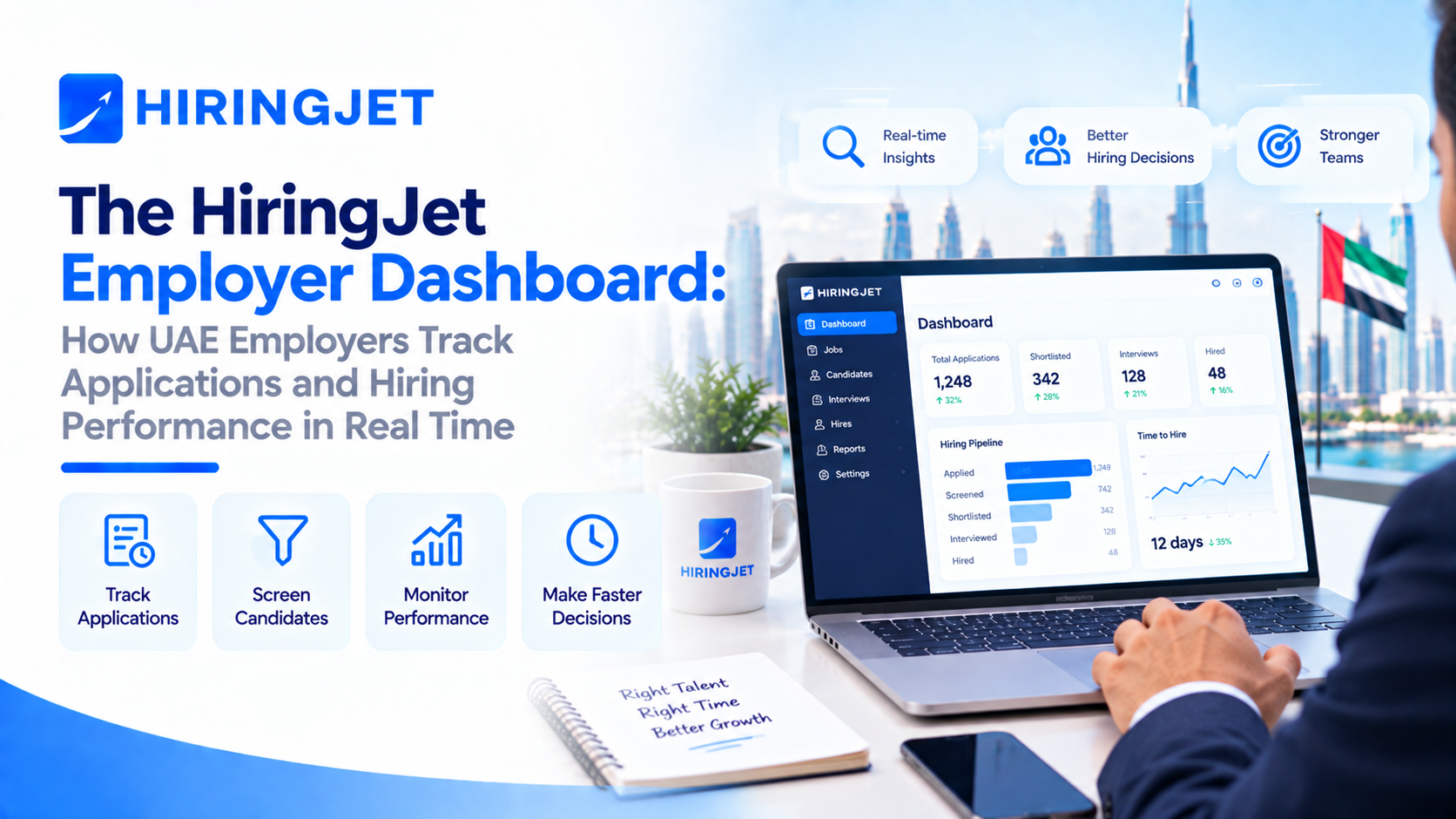
Which stage of the funnel is quietly stalling this month's hiring plan? The scale of that problem shows up clearly in global hiring research: GoodTime's 2025 Hiring Insights Report puts the average time-to-hire at 42 days, and found that 60% of companies reported their time-to-hire had gotten worse in 2024, up sharply from 44% the year before — while only 6% of employers managed to reduce it. Much of that slippage comes down to visibility, not effort or budget.
HiringJet's Employer Dashboard was built to close that gap for UAE employers: a single, real-time view of every job posting, every applicant, and every stage of the hiring pipeline, accessible from desktop or mobile. Here's exactly what it shows, and how UAE hiring teams are putting it to work in 2026.
Why UAE Employers Need Real-Time Visibility Into Hiring
The case for a real-time dashboard isn't theoretical — it's a direct response to where recruiters' time actually goes. Phenom's 2024 State of Candidate Experience report found that recruiters spend around 35% of their time on interview scheduling alone, time that comes directly out of sourcing, screening, and actually moving candidates through the pipeline. Breezy HR's 2024 Hiring Challenges Report found that 27% of talent acquisition leaders describe their team's workload as unmanageable, up from 20% the year before — a trend pointing toward burnout and slower decisions, not faster ones. See HiringJet's cost-per-hire benchmarks for how that slippage translates into hard hiring costs.
On the upside, recent analysis from Bullhorn's 2026 industry report, citing GRID research, estimates that AI-assisted tools embedded in hiring workflows could free up to 17 hours per recruiter per week: roughly 4.5 hours from candidate search and another 3.6 hours from screening and administrative work. For a UAE employer juggling multiple open roles, a subscription renewal, and a growing applicant list, the practical translation is simple: the fewer places you have to manually check for status, the faster you move candidates from application to offer — which is also central to building a hiring process candidates trust. That's the specific problem the Employer Dashboard is designed to solve.
What the HiringJet Employer Dashboard Actually Shows
Applications-Per-Job and Candidate Pipeline View
At the center of the dashboard is a live view of every active job posting and how many applications it has generated, updated in near real time as candidates apply. Each posting's pipeline is broken down by stage — New, Reviewed, Shortlisted, and Rejected or Hired — mirroring the same status pipeline candidates see on their own end, so there's no manual reconciliation between what a hiring manager sees and what a candidate has been told.
Because this view is synced with HiringJet's Applicant Tracking System (ATS), moving a candidate from Reviewed to Shortlisted on the dashboard updates their status everywhere at once — no separate spreadsheet, no re-entering data into a second tool. For employers running multiple job postings simultaneously, this single pipeline view replaces what would otherwise mean checking several inboxes or job boards individually.
Time-to-Shortlist and Hiring Funnel Analytics
Beyond the raw applicant count, the dashboard surfaces a conversion funnel — viewed to shortlisted to hired — alongside a time-to-shortlist metric for each posting. This is the number that tends to reveal where a hiring process is actually stalling: a job with plenty of views but very few shortlists usually points to a targeting or job-description problem, while a job with a long gap between shortlisting and a final decision usually points to an internal bottleneck rather than a candidate-supply one. Having both signals in one place makes it possible to diagnose the specific stage that's slowing a hire down, rather than guessing at whether the issue is sourcing, screening, or internal decision-making.
Skill-Match and Source Breakdown
Every candidate who applies through HiringJet also carries a Jet Screen match percentile — a 0–100% score weighted across skills (30%), experience (20%), location (15%), education (10%), salary expectations (10%), visa or work authorization status (5%), profile freshness (5%), and notice period (5%). That score feeds directly into the dashboard's skill-match distribution view, so employers can see at a glance how strong their applicant pool actually is against the role's real requirements, not just how many people clicked apply. A source breakdown shows where applicants are coming from — direct search, job alerts, recommended-job placements — which is useful for employers deciding where to focus their next round of job postings or promotional budget.
Real-Time Notifications: Push and Email Alerts That Keep Hiring Moving
The dashboard's data is only useful if it reaches the right person at the right moment, which is why it's backed by both push notifications (delivered via Firebase) and email alerts. New applications, candidates moving to shortlisted, scheduled interviews, and subscription or quota changes — for example, a live “CV Views Used: 18/25” counter — all trigger a notification rather than requiring a hiring manager to log in and check manually.
Renewal reminders arrive seven days before a subscription lapses, and usage-limit alerts fire before an employer runs out of CV downloads or bulk email credits mid-search, so quota management doesn't become a surprise blocker in the middle of an active hiring round. For teams managing several open roles at once, this notification layer is often what actually keeps a hiring process moving day to day, rather than the dashboard being something someone remembers to check once a week.
Managing Hiring On the Go: Mobile Access to the Employer Dashboard
Hiring doesn't stop when a hiring manager leaves the office, and the Employer Dashboard is built for that reality — the same pipeline view, notifications, and candidate details are accessible through HiringJet's mobile hiring app as they are on desktop.
A hiring manager can review a new application, move a candidate to shortlisted, or check today's applications-per-job number from a phone between meetings, rather than waiting to get back to a desktop to act. Account setup is quick thanks to social login support, and the same real-time sync that connects the dashboard to the ATS applies on mobile too — a status change made from a phone updates instantly everywhere else the data is shown, including the candidate's own application tracker.
How the Employer Dashboard Fits Into HiringJet’s Broader Hiring Workflow
The dashboard isn't a standalone reporting tool bolted onto the platform — it's the visible layer sitting on top of HiringJet's core hiring workflow. Job postings created with the AI Job Description Generator, or parsed from an uploaded document, flow straight into the dashboard once live.
Candidates surfaced through Jet Screen's AI-ranked search appear in the same pipeline view as those who applied directly, so employers aren't managing two separate candidate lists — a workflow covered in more depth in HiringJet's AI recruitment guide. Every status change, subscription update, and document verification step is captured in HiringJet's audit logging, which sits behind the dashboard's day-to-day view and supports the kind of accountability larger UAE employers and their compliance teams often need.
If you're still evaluating tools, HiringJet's guide to choosing the right ATS covers what to look for beyond the dashboard itself. In practice, this means the dashboard functions as a single operational home for a hiring round — from the moment a job goes live to the moment an offer goes out.
Getting Started: Setting Up Your Employer Dashboard on HiringJet
Setting up dashboard access starts with registering as an employer using a corporate email address — HiringJet doesn't accept free or public email domains for employer accounts. Registration steps through account type, contact information, company details, and a document upload (trade license and tax registration), and dashboard access is granted immediately once registration is complete, while HiringJet's Backoffice team reviews the submitted documents in parallel.
HiringJet's free plan allows up to three active job postings for three months, giving new employers a way to try the dashboard and pipeline view before committing to a paid tier. Paid subscriptions unlock CV search and downloads, bulk email, Jet Walk-In, and Jet Remote on top of the same dashboard view. Review the employer FAQs or read what current customers say in employer testimonials before you start.
Frequently Asked Questions
What is the HiringJet Employer Dashboard?
The Employer Dashboard is HiringJet's central hub for UAE employers to monitor active job postings, candidate applications, and hiring progress in real time. It shows applications-per-job, a stage-by-stage pipeline (New, Reviewed, Shortlisted, Rejected/Hired), time-to-shortlist, skill-match distribution, and application source breakdown, all synced with HiringJet's Applicant Tracking System so nothing needs to be tracked separately in a spreadsheet.
What metrics can UAE employers track on the HiringJet Employer Dashboard?
Employers can track applications received per job posting, conversion through each pipeline stage, time-to-shortlist, candidate skill-match percentile (powered by Jet Screen's weighted scoring across skills, experience, location, education, salary, visa status, profile freshness, and notice period), and where applicants are coming from. Subscription usage — such as CV downloads used against a plan's quota — is also visible directly on the dashboard.
Does the Employer Dashboard work on mobile?
Yes. The dashboard is accessible through HiringJet's mobile hiring app with the same pipeline view, notifications, and candidate details available on desktop, so hiring managers can review applications, shortlist candidates, or check hiring metrics from a phone. Changes made on mobile sync in real time with the desktop dashboard and the candidate's own application tracker.
How does the Employer Dashboard connect to Jet Screen and the ATS?
Candidates surfaced through Jet Screen's AI-ranked candidate search appear in the same dashboard pipeline as candidates who applied directly to a job posting, so employers manage one unified candidate list rather than two separate tools. The dashboard is built on top of HiringJet's ATS, meaning a status update made on the dashboard — for example, moving a candidate to Shortlisted — updates instantly across the platform.
Do I need a paid subscription to access the Employer Dashboard?
No. Dashboard access is included from the moment an employer account is approved, including on HiringJet's free plan, which allows up to three active job postings for three months. Paid subscription tiers add capabilities like CV search and downloads, bulk email, Jet Walk-In, and Jet Remote, but the dashboard's core pipeline and analytics view is available at every plan level.
How real-time are the notifications and analytics on the dashboard?
Notifications for new applications, candidates moving through pipeline stages, and scheduled interviews are delivered through push notifications and email as they happen, rather than on a delay. Subscription and quota alerts — including renewal reminders sent seven days before expiry — are similarly triggered automatically, so employers don't need to log in repeatedly just to check whether something has changed.